Showing posts with label Amira Mokhtar. Show all posts

Sunday, 15 January 2012

Week 9 | International Design For The International Audience


Design becomes more complicated by the audience that it aims for. A more international audience calls for a more cultural-sensitive design. When aiming for a specific kind of culture, plenty of research needs to be done for the design to be suitable for that particular set of culture. Paper and envelope sizes vary depending on which country it comes from as well as address formats. 

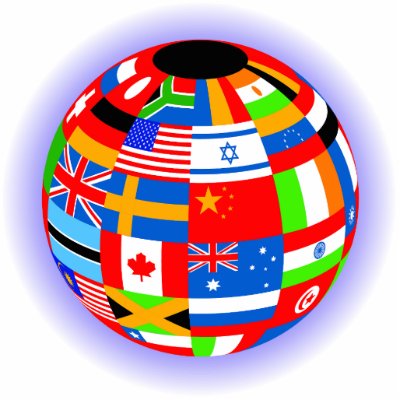
As well as being culturally aware, the design also needs to be politically aware. Colours that are associated with political movements or national flags should be avoided and integrating text in images should also be avoided as it cannot be translated by an online translator. Generic icons are encouraged as well as the allowance of text expansion to make it easier when translated into English.
To make it easier, a product could also have an option of selecting the desired country for the product to be custom made for the user. This way the product will be more specific on the the selected culture and users will be able to experience a more culturally-accurate product.

Saturday, 17 December 2011

Week 8 | Prototyping


Prototype

A model or first model of the intended future product. It functions as a visual example for the creators to find out how it will fare out once it is confirmed to become an actual product to be sold in the market. Bugs, problems would be easily seen by the creation of the product prototype. Stakeholders can also envision the product in its intended form and for users to be able to interact with it as realistically as possible.

Prototypes comes in different forms. Ones that do not look that similar with the intended product are low-fidelity prototypes. Mostly used during the conceptual design, it is a simple and quick way to show the general form of the product without needing to spend all the costs to use actual materials that would be used for the final thing.

High-fidelity prototypes are realistic models of the final product. It uses the actual materials that would be then later be used for the final thing and is as close to to the final product as it can be. It gives a much more accurate model that can be used to test out ideas or approaches with the future users to see how it would fare out when it is used by the intended audience.Though more costly than the low-fidelity prototype, it is helpful in finding out major problems that can be fixed before the production of the final product and in turn would help to save the company a lot of money and time from building a faulty product.

Friday, 9 December 2011

Week 7 | Requirements

Every product has requirements. It's no different in this field. 

A search on the definition of requirement on the internet will turn up as
- a nessecitate
- To call for as obligatory or appropriate

In this case, it is a statement about an intended product that specifies what it should or how it should perform. It should be specific, ambiguous and as clean as possible.


To gather a set of reliable and stable requirements, one should first set themselves to do data gathering.

Data which is sufficient, relevant and appropriate has to be collected to proceed. There are many ways such as to do this. Interviews, focus groups, creating questionnaires and various kinds of observations are just a few of the methods that can be used to collect date from potential users. They all are useful in different ways and the best ones can be custom selected to best fit the needed aim.

  • Interviews -->  These are effective in getting people to explore the issues, they can be customized to be structured, semi structured or completely unstructured. 
  • Focus groups --> Important in the meeting of future or current stakeholders.
  • Questionnaires --> Best at gaining an agreement ad highlighting problematic areas and disagreements during the requirements activity. 

These are just some of the methods and many more can be used to their full advantage to get the most data out of the activities. These are all of course influences by other factors such as the nature of the task, participants and the available resources.


Monday, 28 November 2011

Week 6 | User Centered Design


User Centered-Design (UCD) is a philosophy and a process. It is a philosophy that places the person, or the user, at the center as opposed to the thing. It is a process that focuses on cognitive factors such as perception, memory, learning problem-solving as they come into play during peoples' interactions with things. UCD can improve the usability and usefulness of everything from everyday things, to software to information systems to processes, basically anything with which people interact.

The goal of UCD is to produce products that have a high degree of usability. The main difference from other product design philosophies is that user-centered design tries to optimize the product around how users can, want, or need to use the product, rather than forcing the users to change their behavior to adjust to the product.


 This however can prove to create difficulties as having a system that revolves around the user makes it harder to pinpoint what exactly will satisfy the user. A good design will now always guarantee a satisfied customer. Design evolves, making the designer always looking out for the newest thing that is coming around. Also, what the user demands for may not always be what the user actually needs. 

Therefore, there needs to be a balance between giving the user what they want and using actual skills and knowledge to create a compromise between the two. It's basically the best of both worlds.


Sunday, 20 November 2011

Week 5 | Graphic Design

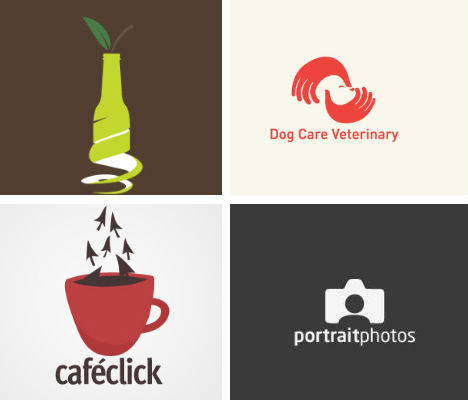
What is Graphic Design? To some people it is merely creating a picture that is pleasing to the eye. But graphic design isn't simply about a pretty picture, it's about conveying a message in a visual way. Many companies take advantage of graphic design in their logos to show to their customers what exactly is their company about simply by having a glace at their logo. A good graphic design should convey their message in a clear yet intelligent way. Distinctiveness is also a must. 


Good designs take the message and tries to show it in a graphical way that is easy for the audience to recognise and remember. Playing with positive and negative space, the compositions and all other elements are taken into account to show a distinct image.


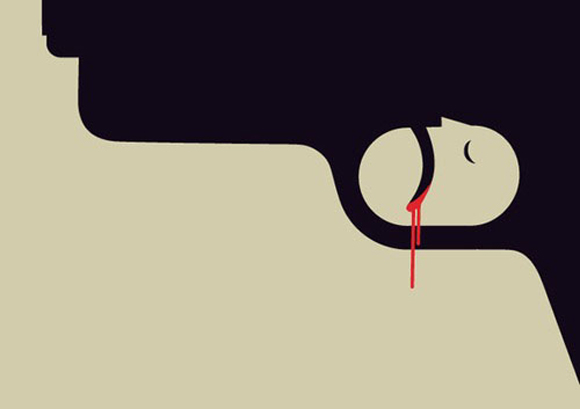
Graphic design in not just used in the corporate field. In addition to being used for logo and brand image, even an important political message can be shown across using graphic design. Text and images are merged together to deliver the message across to the desired audience. No lengthy explanations needed, a well-though design is able to explain itself and be understood by the public purely from the visuals.


Monday, 14 November 2011

Week 4 | Affordance

Affordance, the definition being a quality of an object, or an environment, which allows an individual to perform an action. 


This term is used in a variety of industries, from psychology to industrial design. When used to its advantage, affordance can be used so that the user would know exactly how to use the object without the need of lengthy instructions or complicated labels.

We learn how to work things by the power of observation. Seeing how others do stuff create a memory in our mind to follow what they do and in turn learning how to use it ourselves. Even animals follow in this situation. A good example would be sheep. They are born with the strong instinct to follow the sheep in front of them. Flocking together gives them a sense of safety which in turn leads the sheep to trust the other sheep by copying their move. Then again, sheep have been known to follow the flock regardless of whether the decision is wise or not, like following the ever-so-cheerful line that would eventually lead to falling off the edge of a cliff. Hopefully us human would have at least a tad of common sense not to go jump off a cliff any time we see someone else do the same. 


Designers should take this into account by designing so that it would guide the user by applying the appropriate affordances and constraints. A forcing function can also be applied, such as forcing the attention of the user onto a specific thing to disrupt the monotonous automated task so the user would have to use at least some part of their brain to engage in the product and not just be a blind sheep.

Monday, 7 November 2011

Week 3 | User Relation


There are all sorts of ways that designers use to make you feel more comfortable with your electronic devices, no matter how good the device, you are bound to come across more than a handful of error messages in your time of use. Situations like these create problems for designers to solve. 


What is the tone that needs to be set by these error messages?

Should they be friendly? formal? strictly technical?


I mean, let's face it, how many of us understands some of the error messages that pops up whenever you do something that is out of the computer's reach? Most use complicated technical lingo that the rest of our humble beings have no clue what it is about. So would it be more beneficial to us users to have a simpler more understandable error message or would it make no difference whatsoever?


Anyone recognizes this guy? Clippit, nicknamed Clippy, was one of Microsoft's venture in creating an interactive animated character that would assist users with Microsoft Office. It only lasted on a few versions before it was removed because of the negative feedback that it was receiving for being 'intrusive' and 'plain annoying'. Even though it was designed to be helpful and maybe even relatable by adding a pair of eyes and eyebrows so that it would be able to portray some sort of expression, it proved to be no more than a nuisance for users of Microsoft Office. 

So is the problem in the design of these interactive characters or are we better off just simply navigating the product ourselves? For me, maybe simpler approaches would be more effective as long as it doesn't intrude itself upon my usage, but all to it's own.

Saturday, 29 October 2011

Week 2 | The User and The Computer


HCI, definition being the study,planning and design of the interaction between people (users) and computers. 


(sourced from Wikipedia)


Users come across many different kinds of computers throughout daily life. Computer graphics, operating systems programming languages all come together to affect the interaction between the user an computer. All kinds of professions come together in order to achieve a successful interaction. Engineers and Technicians come together for the more technical side of it while designers and even psychologists combine for the visual design to create a more pleasing and satisfying experience for the user. 


From the start of the birth of computer people have been looking for all kinds of ways to improve user interaction, coming up with all sorts of advanced interfaces for all kinds of products. Nowadays more and more electronic products come with a touchscreen function where users can interact with the product without even the use of bumpy buttons. This allows the user to interact directly with the product unlike before, where they had to use a pointer controlled by a mouse to navigate it. This as a whole creates a more hands-on experience.

Design plays a very big role in HCI. No matter how advanced or modern the technology is, if the user feels the interface to be unattractive and an eyesore, they will not dedicate their time to explore it. Design which is pleasing but also at the same time effective is vital for the interaction success between the user and computer. Keeping the balance between attractiveness and easily navigated will decide on the overall quality of the experience.