Saturday, 17 December 2011

Week 8 | Prototyping


Prototype

A model or first model of the intended future product. It functions as a visual example for the creators to find out how it will fare out once it is confirmed to become an actual product to be sold in the market. Bugs, problems would be easily seen by the creation of the product prototype. Stakeholders can also envision the product in its intended form and for users to be able to interact with it as realistically as possible.

Prototypes comes in different forms. Ones that do not look that similar with the intended product are low-fidelity prototypes. Mostly used during the conceptual design, it is a simple and quick way to show the general form of the product without needing to spend all the costs to use actual materials that would be used for the final thing.

High-fidelity prototypes are realistic models of the final product. It uses the actual materials that would be then later be used for the final thing and is as close to to the final product as it can be. It gives a much more accurate model that can be used to test out ideas or approaches with the future users to see how it would fare out when it is used by the intended audience.Though more costly than the low-fidelity prototype, it is helpful in finding out major problems that can be fixed before the production of the final product and in turn would help to save the company a lot of money and time from building a faulty product.

Wednesday, 14 December 2011

Design and Prototyping


Prototype is the smaller scale, still of bugs and haven’t properly functioned yet. It is meant for the user to interact with the envisioned product, gain experience in realistic setting and explore imagined functions. It is a helpful aid to communicate with team members. There are two types of prototyping, low-fidelity and high-fidelity.

Low fidelity prototype is the one that does not look much like the final product. It uses material that are very different from the intended final version such as paper and cardboard. It tends to be simple, cheap and quick to produce. It is important during conceptual design but not actually will be included in the final design.
High fidelity prototype on the other hand uses material that you would expect to see in the final product. It takes longer time to be build and a lot of difficulties would ensue as a software prototype can set higher expectations. However, it is useful for selling ideas and for testing out technical issues.

As a conclusion, prototype is definitely important in designing as it helps the designer to improve the product before it was officially released.

Saturday, 10 December 2011

Requirements


Requirements are very important in meeting demands or expectation of user especially in designing the products. According to Wikipedia, it is a statement that identifies a necessary attribute, capability, characteristic, or quality of a system for it to have value and utility to a user. Requirements must be specific, unambiguous and clear. There are four types of product requirements; architectural, functional, non-functional and constraint.

In layman terms, requirements are what the user expected the product to be, what the product supposed to provide, what the characteristics of the product and the goal the product is supposed to enable the users to do.

Functional requirements are defining the functions and high level logic of what the product/software/website able to do. Whileas, non-functional requirements specify the criterias and attributes of the product/software/website. In general, functional describe what the product supposed to do by defining the functions while non-functional describe how the product supposed to be.

Friday, 9 December 2011

Week 7 | Requirements

Every product has requirements. It's no different in this field. 

A search on the definition of requirement on the internet will turn up as
- a nessecitate
- To call for as obligatory or appropriate

In this case, it is a statement about an intended product that specifies what it should or how it should perform. It should be specific, ambiguous and as clean as possible.


To gather a set of reliable and stable requirements, one should first set themselves to do data gathering.

Data which is sufficient, relevant and appropriate has to be collected to proceed. There are many ways such as to do this. Interviews, focus groups, creating questionnaires and various kinds of observations are just a few of the methods that can be used to collect date from potential users. They all are useful in different ways and the best ones can be custom selected to best fit the needed aim.

  • Interviews -->  These are effective in getting people to explore the issues, they can be customized to be structured, semi structured or completely unstructured. 
  • Focus groups --> Important in the meeting of future or current stakeholders.
  • Questionnaires --> Best at gaining an agreement ad highlighting problematic areas and disagreements during the requirements activity. 

These are just some of the methods and many more can be used to their full advantage to get the most data out of the activities. These are all of course influences by other factors such as the nature of the task, participants and the available resources.


Thursday, 8 December 2011

Requirements : ?

What is requirement? According to Wikipedia, a requirement is a singular documented physical and functional need that a particular product or service must be or perform. In other words, requirement is a statement about an intended product that specifies what it should do or how it should perform. It should be as specific, unambiguous and as clear as possible and we must know how to tell when they have been fulfilled. It is most commonly used in a formal sense in systems engineering, software engineering, or enterprise engineering. There are types of requirements; Functional Requirements and Non-Functional Requirements. Functional requirement captures the intended behavior of the system. This behavior may be expressed as services, tasks or function the system is required to perform or in a simpler way, it is what the system should do. Non-Functional requirement includes constraints and qualities. Qualities are properties or characteristics of the system that its stakeholders care about and hence will affect their degree of satisfaction with the system while a constraint is a restriction on the degree of freedom we have in providing a solution.

Monday, 28 November 2011

Week 6 | User Centered Design


User Centered-Design (UCD) is a philosophy and a process. It is a philosophy that places the person, or the user, at the center as opposed to the thing. It is a process that focuses on cognitive factors such as perception, memory, learning problem-solving as they come into play during peoples' interactions with things. UCD can improve the usability and usefulness of everything from everyday things, to software to information systems to processes, basically anything with which people interact.

The goal of UCD is to produce products that have a high degree of usability. The main difference from other product design philosophies is that user-centered design tries to optimize the product around how users can, want, or need to use the product, rather than forcing the users to change their behavior to adjust to the product.


 This however can prove to create difficulties as having a system that revolves around the user makes it harder to pinpoint what exactly will satisfy the user. A good design will now always guarantee a satisfied customer. Design evolves, making the designer always looking out for the newest thing that is coming around. Also, what the user demands for may not always be what the user actually needs. 

Therefore, there needs to be a balance between giving the user what they want and using actual skills and knowledge to create a compromise between the two. It's basically the best of both worlds.


User-Centered Design : ?


According to a Abras, C. user-centered design (UCD) is a broad term to describe design processes in which end-users influence how a design takes shape. It is both a broad philosophy and variety of methods. There is a spectrum of ways in which users are involved in UCD but the important concept is that users are involved one way or another. In other words, it is an approach to design that grounds the process in information about the people (users) who will use the product later on. It processes focus on users through the planning, design and development of a product. Let’s think this way; how many of us have bought a, let say, a VCR that we have struggled to use and eventually missed recording our favorite programs because we misunderstood the instructions? I bet some of us had experienced this kind of situation. Do we have to put up with designs like these? Isn’t it possible to design systems that are more usable?

UCD consult users about their needs and involve them at specific times during the design process; typically during requirements gathering and usability testing. There are UCD methods in which users have a deep impact on the design by being involved as partners with designers throughout the design process.

In conclusion, UCD is a general term for a philosophy and methods, which focus on designing for and involving users in the design of computerized systems. The ways in which users participate can vary. The involvement may be relatively light. They may be consulted about their needs, observed and participate in usability testing. Besides, the involvement can be severe with users participating throughout the design process as partners in the design. Wrapping up, involving users in design one way or another has been shown to lead to developing more usable satisfying designs.

Sunday, 27 November 2011

User Centered Design


True to the word, user-centered design (UCD) is a design philosophy that approach the method of designing that revolves around the information about the user that will use the product. UCD activities consist of four phases; analysis, design, implementation and lastly, deployment. These phases are very significant in making sure the designer understand about the needs of his/her own user.

UCD makes sure that the products are to the wanting and needing of the user instead to force the user to accommodate their behaviour for the product. In other words, UCD is a tailored made design for the user, focusing on the needs of specific user

However, this will be impossible for a large target audience because it will take a very long time for the designer to try to understand the user’s experiences one by one to implement on their design. But for the user, it proves to be an advantage as they could understand the product better. UCD has both pro and cons as I stated above.

Tuesday, 22 November 2011

Graphic Design and It's Awareness


People are always unaware about the power and the influence that graphic design bring in their life. When I decided to further my study in this area, a lot of people oppose my decision as they fail to see the importance of graphic design. Well, ignorant people are like that I guess since graphic design exist in almost everything, the food that they eat, the clothes that they wear, the books that they read, the phone that they use; everything.

It’s such a shame that graphic design is underrated and people are unaware of its existence even if they see and use it every single day. Graphic design works with drawing, painting, illustration, typography, any type of images, you name it!

It’s probably impossible to make more people aware of the importance of graphic design and people couldn’t see it since it is something they had never even thought about it.

Monday, 21 November 2011

What is Graphic Design?


In the previous lecture,Mr.Razi Bedu had been invited to give a talk about Graphic Design so before I start to talk or explain what is Graphic Design I'll like to share what other people think about Graphic Design.My brother is from MMU Melaka and he's in Business Admin.I ask him what will you answer if people come to you and ask what is Graphic Design.He said, Graphic Design is something that got to do with computer and it's something like abstract kind of design with many kind of colour.Sometime he said it look a like air brush painting that most teenagers like to do on the wall.I guess People who don't really learn art they think Graphic Design is all about create something in the software and that's it.


Graphic Design is actually in common thinking is something that we use to communicate with people in non-verbal communication or form of  visual communication. It's sort of like poster,typography,create a business logo,type a letter,any magazine or newspaper ads or album cover, these are all call Graphic Design.


Graphic Design is something that we can say its creative because of the combination of art and computer to create or communicate the idea directly to the audience.The main tool in creating a perfect Graphic Design artwork are image and typography.Once you know all the rule in design and you know how to use a perfect compositon, definately you'll get a good  art work.


Sunday, 20 November 2011

Week 5 | Graphic Design

What is Graphic Design? To some people it is merely creating a picture that is pleasing to the eye. But graphic design isn't simply about a pretty picture, it's about conveying a message in a visual way. Many companies take advantage of graphic design in their logos to show to their customers what exactly is their company about simply by having a glace at their logo. A good graphic design should convey their message in a clear yet intelligent way. Distinctiveness is also a must. 


Good designs take the message and tries to show it in a graphical way that is easy for the audience to recognise and remember. Playing with positive and negative space, the compositions and all other elements are taken into account to show a distinct image.


Graphic design in not just used in the corporate field. In addition to being used for logo and brand image, even an important political message can be shown across using graphic design. Text and images are merged together to deliver the message across to the desired audience. No lengthy explanations needed, a well-though design is able to explain itself and be understood by the public purely from the visuals.


Thursday, 17 November 2011

Graphic Design : ?

Supposed we are given a task to create an advertisement to sell a product or at least persuade the potential target users to buy the product. It has to convey a correct message in order to gain customers’ interest in buying the product. But how do we actually “send” or “deliver” the message? It is much easier if we are doing it in a verbal communication where we can just easily tell them from ‘A’ to ‘Z’ about the product. But how do we do it in a visual form?
That’s what a ‘real’ graphic design really is. It wasn’t just a piece of beautifully designed artwork without any specific message behind it. It is the process and art of combining text and graphics and communicating an effective message. There are principles and elements of design that needed to be utilized in order to achieve a good and effective piece of artwork.

Wednesday, 16 November 2011

Week 5 - Graphic Design


During lecture this week, our guest lecturer, Mr Radzi Bedu talk about graphic design. What is graphic design?  I asked a friend of mine from FOM, from his point of view he understands that graphic design is all about designing picture to look good. Part of it was a little bit true. Though making a good picture to look nice n beautiful, there are more to the term of ‘graphic design’.

From what we have learnt from a simple lecture by Mr Radzi, graphic design is a way of people to communicate and a good graphic designer would find a way to convey their messages through pictures, illustration and images. A proper definition of graphic design would be visual communication. 

People from the early ages learnt to communicate with their surroundings and graphic design has brought a whole new meaning to communication. To conclude the lecture, a good graphic design manage to make people understand the message behind all the graphics, and if it work means that the design is really good. To be a good graphic designer I learnt that these 4 things are really important. AIDA!

Monday, 14 November 2011

Persuasive Power

“The customer is King

King is always right

King never bargains”

Have you ever heard the saying before? Of course you do since this is something that had been planted in every store or industry available in the world. Affordance is the quality of an object or environment which allows a person to perform an action. For me, affordance is also one of the crucial elements of target marketing that is; demographics. In a way, affordance is something that permits a person to use the interface comfortably.

An example would be, switches. How do you know how/ways to flicker the switch? You…just know, right? There’s no need of an explanation, you just do.

So, that’s the gist of how affordance works. The point of affordance is for the user to know how it works without the help of a manual.

As Ms. Edina had asked to elaborate on the affordance of robot dog in this week’s class, I’ll write what I understand of it. Without the manual, most people automatically understood that the robot dog will more or less function like a real dog but of course without the needs for it to eat or take a poo. Thus, it gives the user an impression that taking care of a robot dog would be easier than taking care a real dog.


Since it is programmed to resemble a dog (except for the food and the poo), of course it’ll also be programmed on how to play with balls.

Perceived affordance on the other hand is the perceived properties of the object that suggest how the user could use it. It is use to guide users or as I understand it ‘corner’ user into choosing what the developer want the user to click on.


Week 4 | Affordance

Affordance, the definition being a quality of an object, or an environment, which allows an individual to perform an action. 


This term is used in a variety of industries, from psychology to industrial design. When used to its advantage, affordance can be used so that the user would know exactly how to use the object without the need of lengthy instructions or complicated labels.

We learn how to work things by the power of observation. Seeing how others do stuff create a memory in our mind to follow what they do and in turn learning how to use it ourselves. Even animals follow in this situation. A good example would be sheep. They are born with the strong instinct to follow the sheep in front of them. Flocking together gives them a sense of safety which in turn leads the sheep to trust the other sheep by copying their move. Then again, sheep have been known to follow the flock regardless of whether the decision is wise or not, like following the ever-so-cheerful line that would eventually lead to falling off the edge of a cliff. Hopefully us human would have at least a tad of common sense not to go jump off a cliff any time we see someone else do the same. 


Designers should take this into account by designing so that it would guide the user by applying the appropriate affordances and constraints. A forcing function can also be applied, such as forcing the attention of the user onto a specific thing to disrupt the monotonous automated task so the user would have to use at least some part of their brain to engage in the product and not just be a blind sheep.

Sunday, 13 November 2011

Sometimes There Are Thing You Need To Decide.Affordance


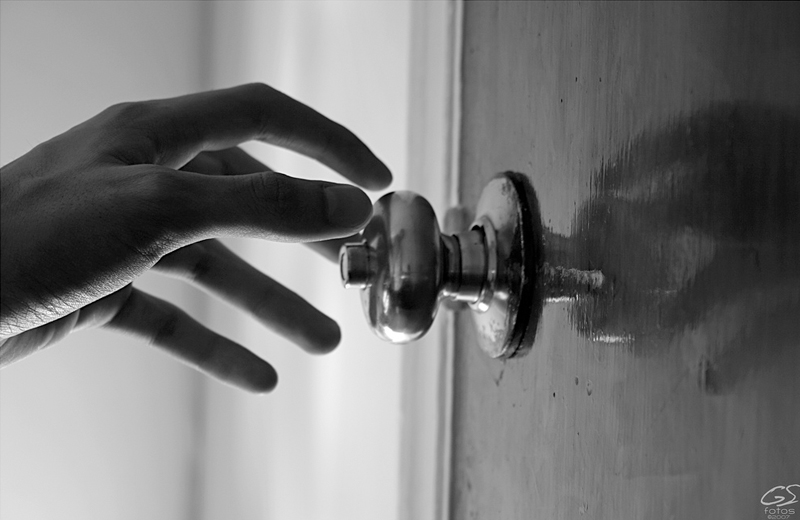
Affordance is something that allow user to perform something with action and without instruction. For example, like pulling or pushing or even twisting a door knob.According to Norman (1988) an affordance is the design aspect of an object which suggest how the object should be used; a visual clue to its function and use.As a human been,we do thing by observe it and look what other people do and automatically it will send to our brain and we know how to do sentence thing. If the designer create a chair at first we don't really know what to do with the chair after we look what other people do so then we know how to use it and we also will automatically know and set it our brain the chair is for us to sit.For conclusion what I understand is affordance is the matter of knowing how to use it.(taken from http://www.interaction-design.org/encyclopedia/affordances.htmlNorman writes:
"...the term affordance refers to the perceived and actual properties of the thing, primarily those fundamental properties that determine just how the thing could possibly be used. [...] Affordances provide strong clues to the operations of things. Plates are for pushing. Knobs are for turning. Slots are for inserting things into. Balls are for throwing or bouncing. When affordances are taken advantage of, the user knows what to do just by looking: no picture, label, or instruction needed." (Norman 1988, p.9)

Saturday, 12 November 2011

Affordances

As being defined by J. J. Gibson, “ Affordance is states that the world is perceived not only in terms of object shapes and spatial relationships but also in terms of object possibilities for action (affordances) — perception drives action. “. In other words, it is a visual clue to the function of an object. For an example, imagine a door that only opens in one direction. The door doesn't have a handle, thus it can't be pulled - it is visually perceived to be push only. If the door has a fixed-handle, then of course we know that it needs to be grasped and pulled.
Users know exactly they should do or should not do just by looking in the absent of pictures, labels, illustration or even instruction.
Wrapping up, I would say that a perceived affordance isn't a simple attribute that you either have or you don't. It is such a long, wide road of potential effectiveness. Just because object affords behavior doesn't necessarily mean it affords it well.

Monday, 7 November 2011

User Relation

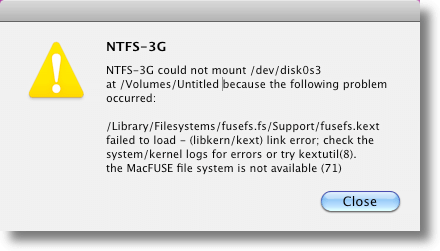
Have you ever come across the above error messages while you are working on your computer? Annoying, isn’t it? For some unknown reason, which we don’t even bother to find out what, the system tends to display some sort of error messages or warnings regarding the failure it encounters. The thing is, even we were provided with those warnings and error messages, most of us still don’t know and have no idea of what supposed to be the problem is.

This so-called user assistant seems to be useless some of the time. It displays messages and warnings alert the users that there’s something wrong with the application on-use or there’s a slightly coding error in the system. But what happen to be the problem is, the errors often displayed in a code forms such as “ERROR 404”, “Lp0 on fire”, “Incorrect Syntax”, “Error ‘9’” and etc. How are we supposed to know the meaning of these errors since it is displayed in such manner?

Wrapping up, these warnings really do help us aware that there’s a problem and prevent it from getting any worse but still sometimes it brings no use to some people because they have no idea of what’s going on and what they are supposed to do. Still, these error messages are really important. Without it, we would definitely face lots of trouble dealing with the failures.

Problems


As awesome as HCI sounded and looked when it is used, it definitely have some problems as well. Nothing is perfect in this world afterall, and that of course includes HCI. As HCI covered a lot of aspects in our daily life, problems are bound to happen.

Well, let's take a step back on HCI. HCI is created for human to feel more 'comfortable' with interfaces, machines and apps. But, how would you feel if it's becoming too 'intrusive' for your own liking? Does anyone remember how annoying those old Office Assistant in Windows? Let's refresh your memory for a trip wayyy down the lane.


Okay, in Microsoft Office 97 there was this cute (annoying) assistant called Clippit or more affectionately known as Clippy. Urbandictionary.com defined Clippit as "the annoying paper clip of Microsoft programs that asks you annoying questions when you dont need help". To those that weren't born yet at 97 must be wondering exactly how annoying was this Clippy. Well let's watch a video tribute of Clippy then.


Even Microsoft's people thought Clippy was annoying and held a public execution to 'kill' him.

More problems regarding HCI are gimmicks that unable to live up to its hype and that affects the usability. This usually happens in camera and handphones. User frustration occurs daily in almost every HCI since again, it is not perfect. The most recent case would be the failure of using iPad in Anugerah Skrin TV3. Well, THAT is the ultimate problem of HCI that I can vividly remember.

In conclusion, as well as being imperfect HCI couldn't possibly satisfy all since not all likes/dislikes are the same for every people. There's a saying that goes, "one size does not always fit all".

Introduction of An Unknown Term


What is HCI? Have you ever heard of the term or are you even familiar with that word? Well, I’m sure you’re not. Even I am ignorant of the term before I entered this class but unknowingly us human actually use it hmm say 24/7?


Don’t believe me? Read on then.

HCI is an acronym to human-computer-interaction and according to Wikipedia it is defined as study, planning, and design of the interaction between people and c

omputers. Cited from usask.ca, “Human-Computer Interface Design seeks to discover the most efficient way to design understandable electronic messages”.

It’s just an awesome geeky scientific name for everything that you depend on daily.

Nowadays, I think it’s not wrong for me to actually say that people has become to dependent on computer and thus HCI has become an important part of human’s life without them even realizing it. For example, the mouse that you are holding right now or if you are using the touch screen, the thing that you touch or tap just now. Even the browse

r you are using now is in fact a product of HCI. As you reading my pathetic blog entry, you are using loads of HCI.

The importance of HCI was proven more with the existence of apps like Cleverbot that can mimic human conversations by communicating with humans.

In a way, HCI makes ‘communicating’ with machine feels more ‘human’ instead of the bland robotic command that pops up on your computer. It makes human feel more comfortable and relatable using the computer or machine when HCI is applied. It is, in a way is like a need.

Now you can brag to others, “I am using HCI every single day.”

Week 3 | User Relation


There are all sorts of ways that designers use to make you feel more comfortable with your electronic devices, no matter how good the device, you are bound to come across more than a handful of error messages in your time of use. Situations like these create problems for designers to solve. 


What is the tone that needs to be set by these error messages?

Should they be friendly? formal? strictly technical?


I mean, let's face it, how many of us understands some of the error messages that pops up whenever you do something that is out of the computer's reach? Most use complicated technical lingo that the rest of our humble beings have no clue what it is about. So would it be more beneficial to us users to have a simpler more understandable error message or would it make no difference whatsoever?


Anyone recognizes this guy? Clippit, nicknamed Clippy, was one of Microsoft's venture in creating an interactive animated character that would assist users with Microsoft Office. It only lasted on a few versions before it was removed because of the negative feedback that it was receiving for being 'intrusive' and 'plain annoying'. Even though it was designed to be helpful and maybe even relatable by adding a pair of eyes and eyebrows so that it would be able to portray some sort of expression, it proved to be no more than a nuisance for users of Microsoft Office. 

So is the problem in the design of these interactive characters or are we better off just simply navigating the product ourselves? For me, maybe simpler approaches would be more effective as long as it doesn't intrude itself upon my usage, but all to it's own.

Friday, 4 November 2011

HCI (Human–computer interaction)

(Picture Taken from Google)


Human computer interaction is a planning between people and the computer. It's how people as human interact with the computers.The user interface such as GUI shows how a human can interacts with the computer and the HCI job is to go beyond designing screens and make the apps or menus become easy to use and they need to studies the reasoning behind the functionality into computers and they also need to know what the effect that systems will have on humans.


What happend now like what we can see the computers become more and there are so many type,shape,colour,usage and also its already become pervasive in culture.Almost half of the world use computer to go to the social network so what the designers can do is they need to increase the looking for ways to make interfacing with devices easier,safer and more efficient from the previous.


To me nowadays, every human need computer because most of their daily life will deal with this all kind of gadget.I would like to share this one taken from http://en.wikipedia.org/wiki/Human%E2%80%93computer_interaction " human-computer interaction studies a human and a machine in conjunction, it draws from supporting knowledge on both the machine and the human side. On the machine side, techniques in computer graphics, operating systems, programming languages, and development environments are relevant. On the human side, communication theory, graphic and industrial design disciplines, linguistics,social sciences, cognitive psychology, and human factors such as computer user satisfaction are relevant. Engineering and design methods are also relevant. Due to the multidisciplinary nature of HCI, people with different backgrounds contribute to its success. HCI is also sometimes referred to as man–machine interaction (MMI) or computer–human interaction (CHI)."

Thursday, 3 November 2011

HCI + Problems?


As briefly mentioned in previous post, Human Computer Interaction (HCI) did improved our lifestyle in terms of gadgets and technologies. As a designer, we also plays an important role as people nowadays have a very high expectations on everything. So, in terms of having good design and also manage to help people to interact with the technologies, there are many things that need to be considered to satisfied everyone. However, problems might arise because as been told 'people wont change if they don't want to'.

In my personal view, i think that problems will always arise but every thing can be solved and people will adapt with the changes of the technologies because no one likes to be left behind if the crowd  do it.

Saturday, 29 October 2011

Week 2 | The User and The Computer


HCI, definition being the study,planning and design of the interaction between people (users) and computers. 


(sourced from Wikipedia)


Users come across many different kinds of computers throughout daily life. Computer graphics, operating systems programming languages all come together to affect the interaction between the user an computer. All kinds of professions come together in order to achieve a successful interaction. Engineers and Technicians come together for the more technical side of it while designers and even psychologists combine for the visual design to create a more pleasing and satisfying experience for the user. 


From the start of the birth of computer people have been looking for all kinds of ways to improve user interaction, coming up with all sorts of advanced interfaces for all kinds of products. Nowadays more and more electronic products come with a touchscreen function where users can interact with the product without even the use of bumpy buttons. This allows the user to interact directly with the product unlike before, where they had to use a pointer controlled by a mouse to navigate it. This as a whole creates a more hands-on experience.

Design plays a very big role in HCI. No matter how advanced or modern the technology is, if the user feels the interface to be unattractive and an eyesore, they will not dedicate their time to explore it. Design which is pleasing but also at the same time effective is vital for the interaction success between the user and computer. Keeping the balance between attractiveness and easily navigated will decide on the overall quality of the experience.